
Your reading plan
- Two pages if you can; no photo, date of birth or marital status.
- Key skills come before work history, so pick a design with a skills sidebar or move the section up.
- Send a PDF named with your name and “CV”, and keep the layout simple for Seek and Trade Me Jobs.
What should a New Zealand CV template do?
Tahatū Career Navigator, the government careers service, advises keeping a CV to two pages if you can and gives an order: contact details, a personal statement, key skills and experience matched to the job ad, work history with the latest job first, education, interests if useful, and referees (Tahatū). Its structure has no line for a photo, date of birth or marital status, and employers must not discriminate unlawfully on grounds such as sex, marital or family status or age (Employment New Zealand).
A template for this market is therefore judged on three things. Does it hold two pages? Does it give key skills a place above work history? Does it keep one clear reading order for the job boards and employer forms that most applications pass through?
Test the CV you have first with the free resume checker, then with the ATS resume checker. For what to write, read the New Zealand CV format and cover letter guide, which covers visa status and overseas experience.
Where does each New Zealand CV section sit in a template?
The New Zealand order differs from a US resume in one way that matters for layout: key skills come before work history. A template either has a place for them or you move the section.
Scroll sideways to see every column
| Section | What it holds | Where a template puts it |
|---|---|---|
| Personal statement | Three or four lines on who you are, your skills and what you want next. | Top of the main column, under the header. |
| Key skills | Skills and experience matched to the job ad. | The sidebar in Nova or Horizon, or a block above work history in a single column. |
| Work history | Most recent job first, each with results. | The main column in Zenith, Element or any design on this page. |
| Education | Qualifications, most recent or most relevant first. | After work history; first if you are a recent graduate. |
| Referees | Two or three people, or “Referees available on request”. | The last block on the last page; the one-line version when page two is short. |
Which design suits which New Zealand applicant?
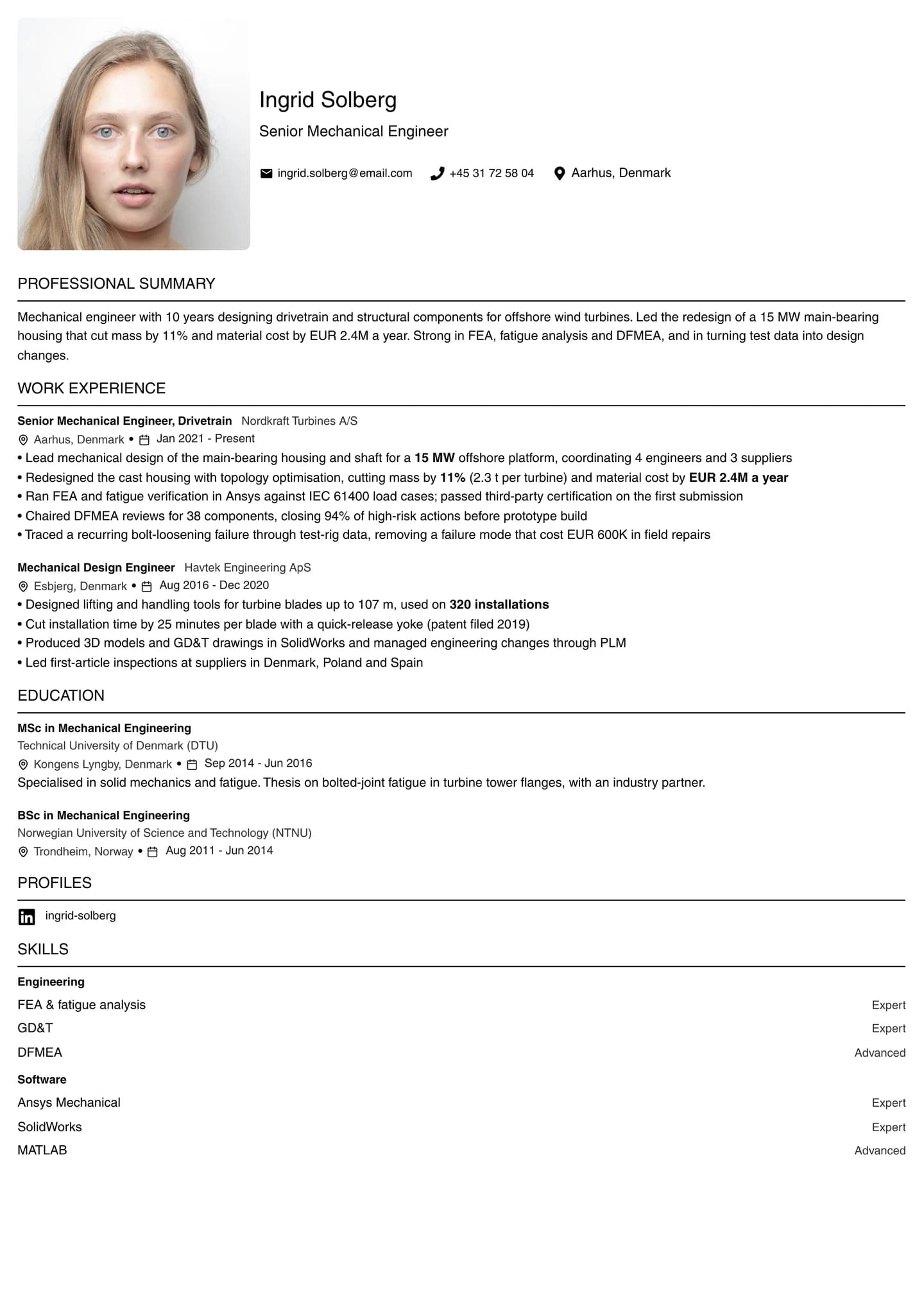
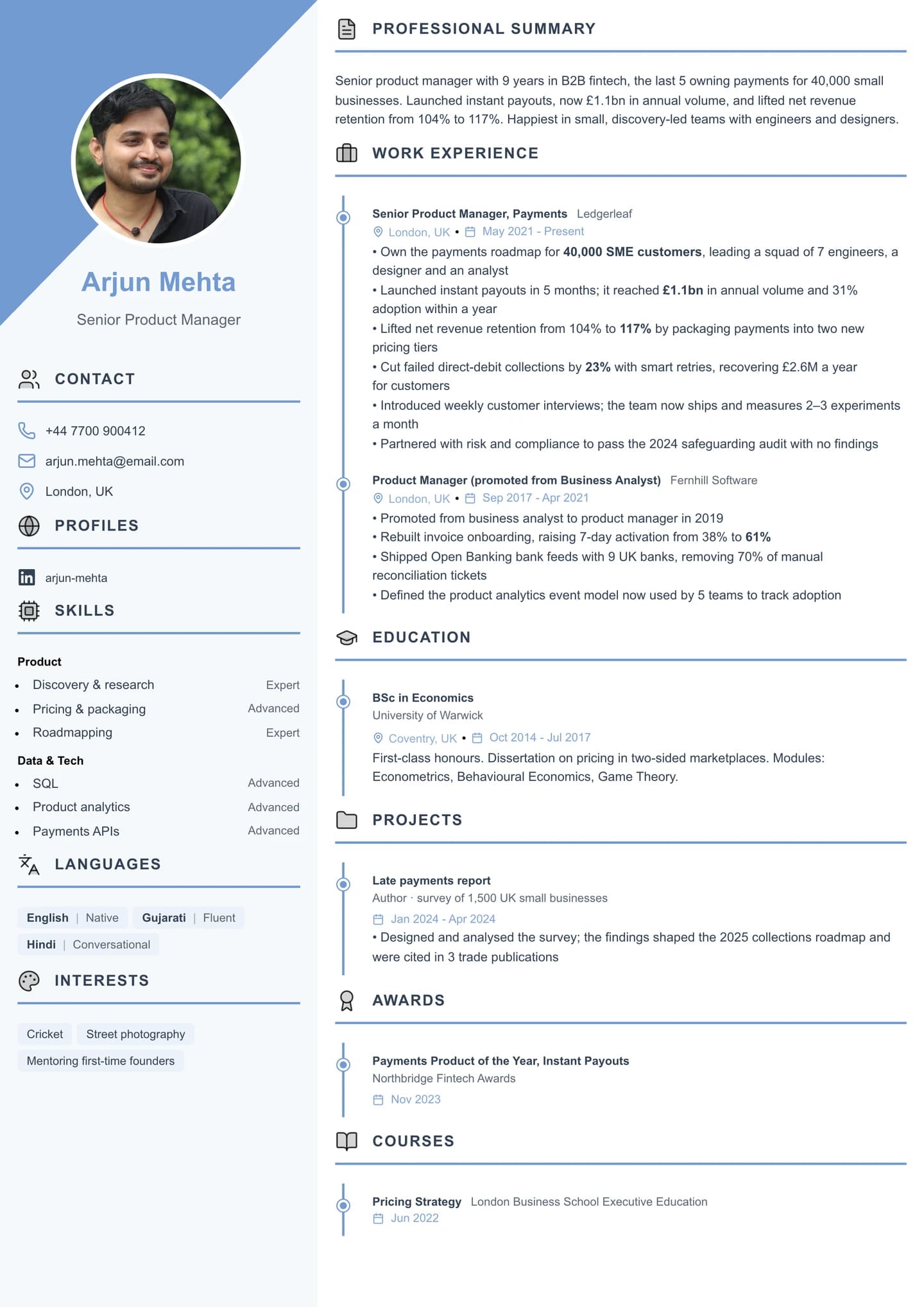
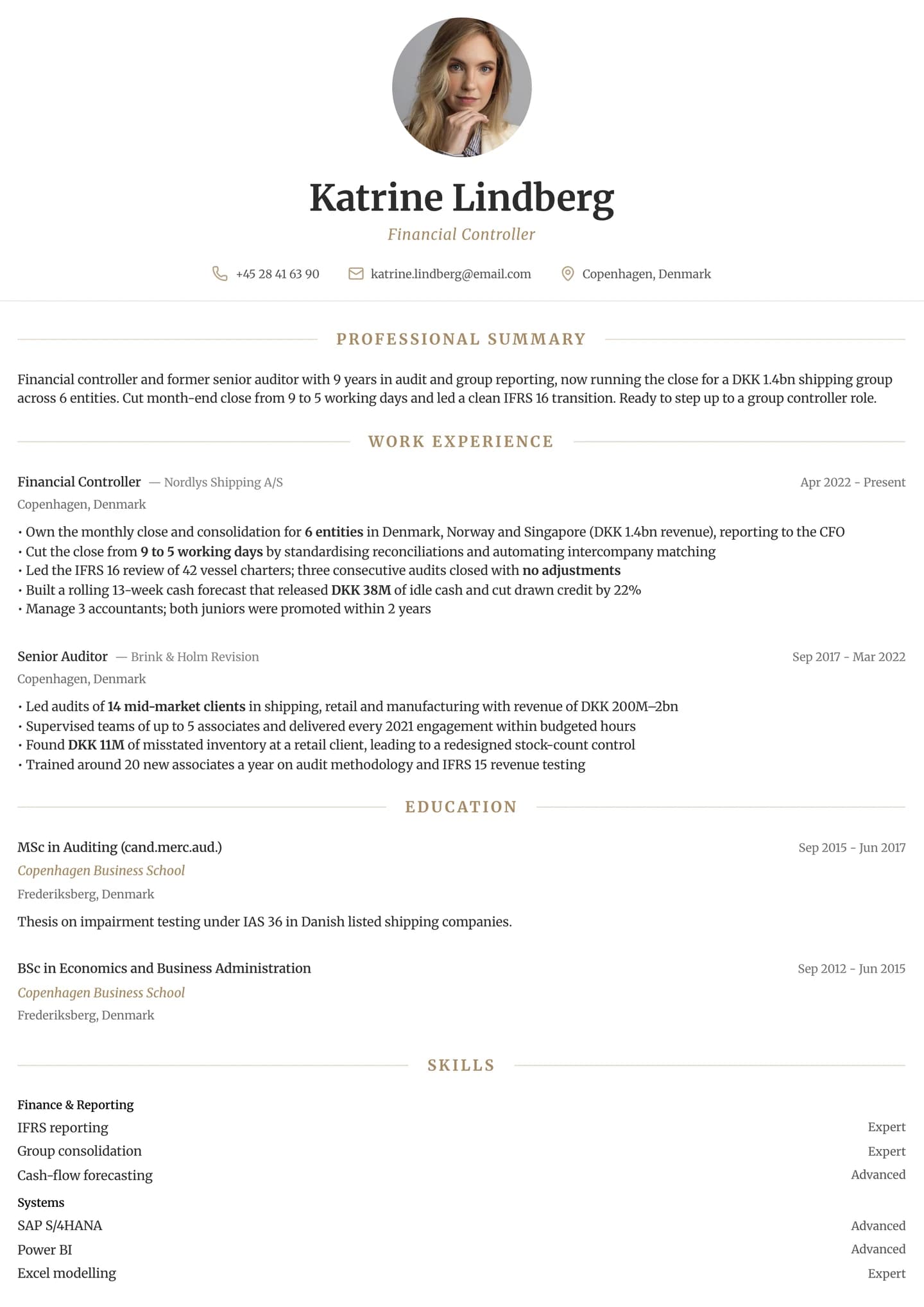
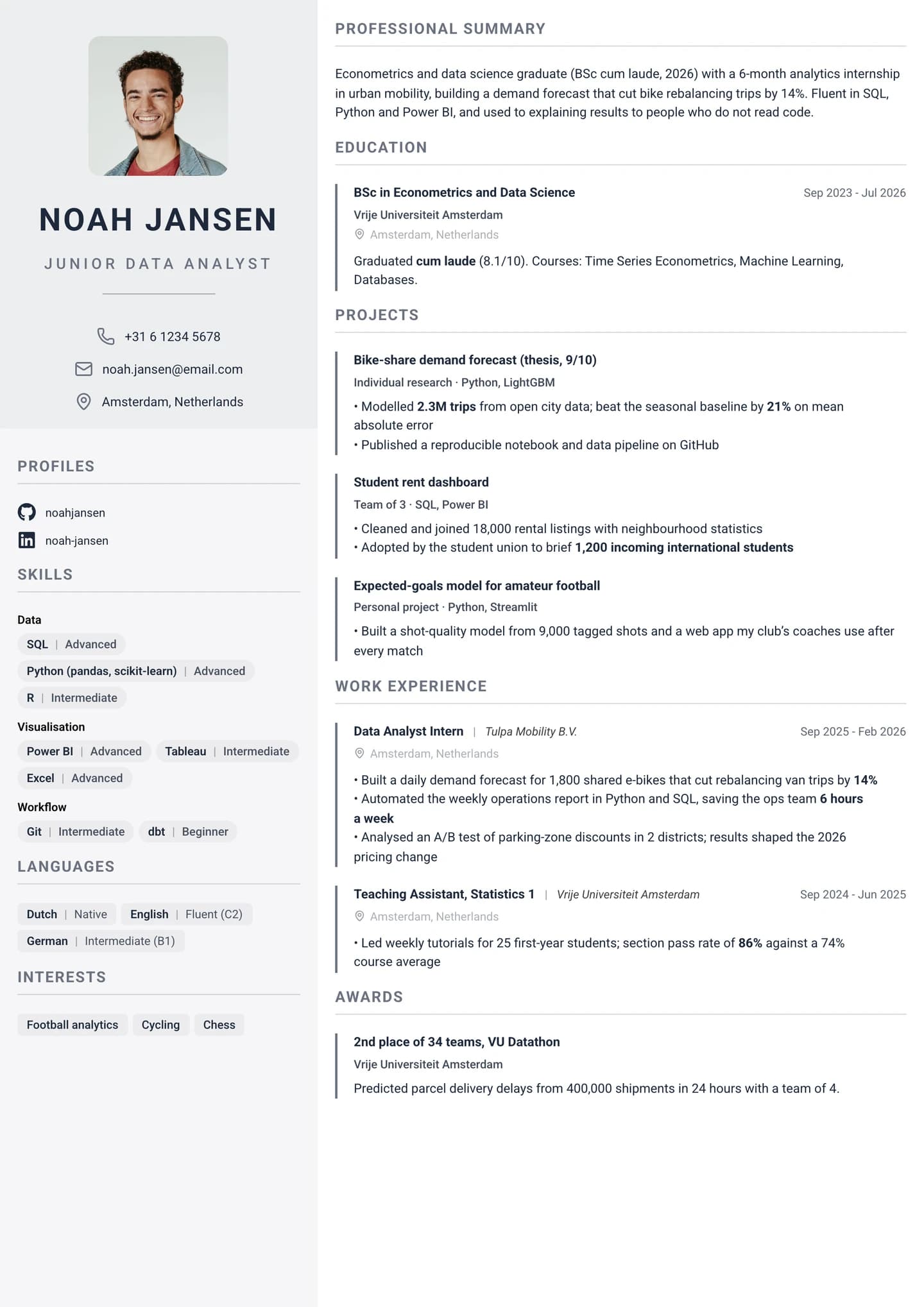
5 of the 14 designs in the resume template library are free: Flux, Zenith, Apex, Onyx, and Nova. Brackets show whether each design below is Free or Pro.
- Most applicants applying through Seek or Trade Me Jobs: Zenith (Free). One column with standard headings, so a system and a person read it in the same order. Move Key skills above Work history.
- Key skills first, with a long list: Nova (Free) puts skills in a sidebar beside work history, and Horizon (Pro) does the same with a quieter look. Check the exported order, since two columns are the riskier choice for older systems.
- A long history or a registered profession: Element (Pro) in one column of serif type. It allows four pages for academic CVs, but for New Zealand aim for two.
- Applying from overseas: a one-column design keeps your work-rights line in the header, where a recruiter looks first. Add one line of context under each overseas employer and cut older roles to a single line.
How do you fit a New Zealand CV on two pages?
- Drop the “Curriculum Vitae” title, a signature and your street address. Your city is enough.
- Fill page one with the personal statement, key skills and your latest roles, then let older jobs shrink to a line each instead of spilling onto a third page.
- Download a PDF unless the employer asks for Word, and name it the way Tahatū suggests, with your first and last name and “CV”. The designed PDF or Word download is part of Pro.
- Pair it with a one-page cover letter in a matching design: cover letter templates has 11 designs and copy-ready letters.
Two blog guides cover details people forget. Where to put references covers consent and timing, and PDF or Word for a resume covers which file a portal reads best.
Which New Zealand roles change the layout?
Each role has a worked example. Use it for structure and the keyword list, in your own words and only where true of you.
- Nurses: state your registration with the Nursing Council of New Zealand and your current practising certificate, or say where you are in the process. Put the clinical setting and patient load in each bullet. The registered nurse example uses US terms such as BSN and ACLS, so replace them with your own training.
- Project managers: lead with the scale of the projects you ran. Project manager postings use terms such as project manager, stakeholder management, risk management, budget management, Agile, Scrum, waterfall, RAID log. Core or Element fit.
- Electrical engineers: show standards and tools in a skills block, and projects in the bullets. Electrical engineer postings use terms such as electrical engineer, PCB design, Altium Designer, schematic capture, power electronics, EMC compliance. Nova holds a long tools list in its sidebar.
Questions about CV templates for New Zealand
One that holds two pages, has no photo and gives key skills a clear place near the top. Zenith is free and simple, and Nova is free with a skills sidebar.
Two pages if you can, which is the advice of the government careers service Tahatū Career Navigator. Early-career applicants can often fit everything on one.
No. The structure Tahatū recommends has no photo line, and employers must not discriminate unlawfully on grounds such as age or family status. Choose a design without a photo slot.
After the personal statement and before work history. In a two-column design they fit the sidebar; in a one-column design, move the skills section above work history.
Not as a free download. You build the CV in Kaizen CV, where some designs are free to use, and the designed PDF or Word export is part of Pro.
Usually, and a one-page letter addressed to the named contact helps. The cover letter templates page has designs and copy-ready letters to adapt.